Firewall Rules Best Practices: How to Write Rules That Don't Leave Gaps
Zak
8 November 2026
→ Get Your Firewall Rules Reviewed, Book a Free Consultation
When we review a small business firewall, the hardware is rarely the problem. The rules are.
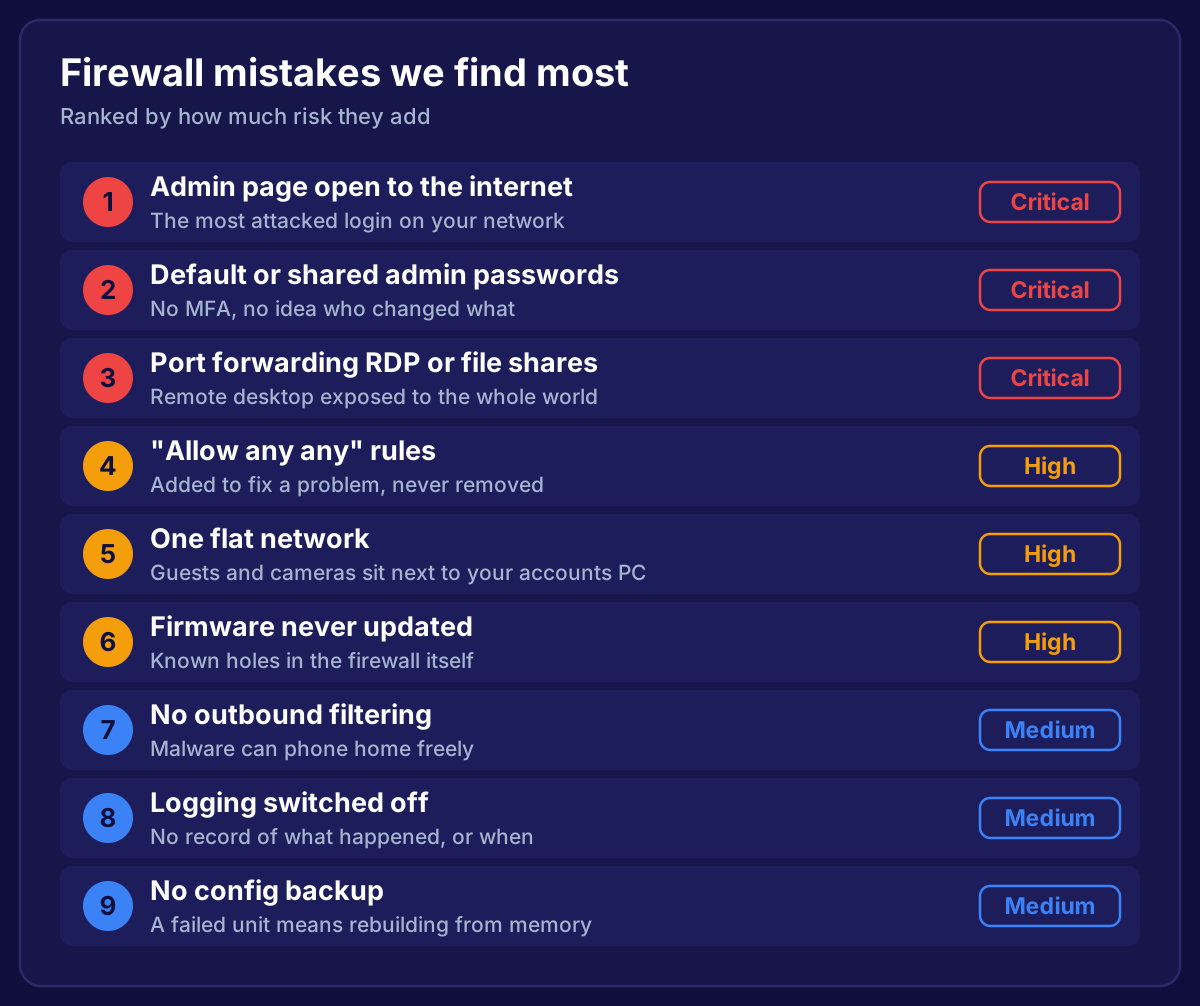
Rules get added in a hurry to fix something, and nobody removes them. A year later there are 60 rules, half have no name, and one near the top says "allow any to any".
This guide covers the firewall rules best practices we use when configuring a firewall policy, so your rulebase stays tight and anyone can understand it.
Key Takeaways
- Firewall rules run top to bottom, and the first match wins
- Put specific rules above general ones, and finish with an explicit deny
- Never use "any any any" allow rules
- Use named objects and groups instead of raw IP addresses
- Give every rule a name, an owner and a reason
- Log denied traffic, and check hit counts to find dead rules
- Review the whole rulebase every quarter
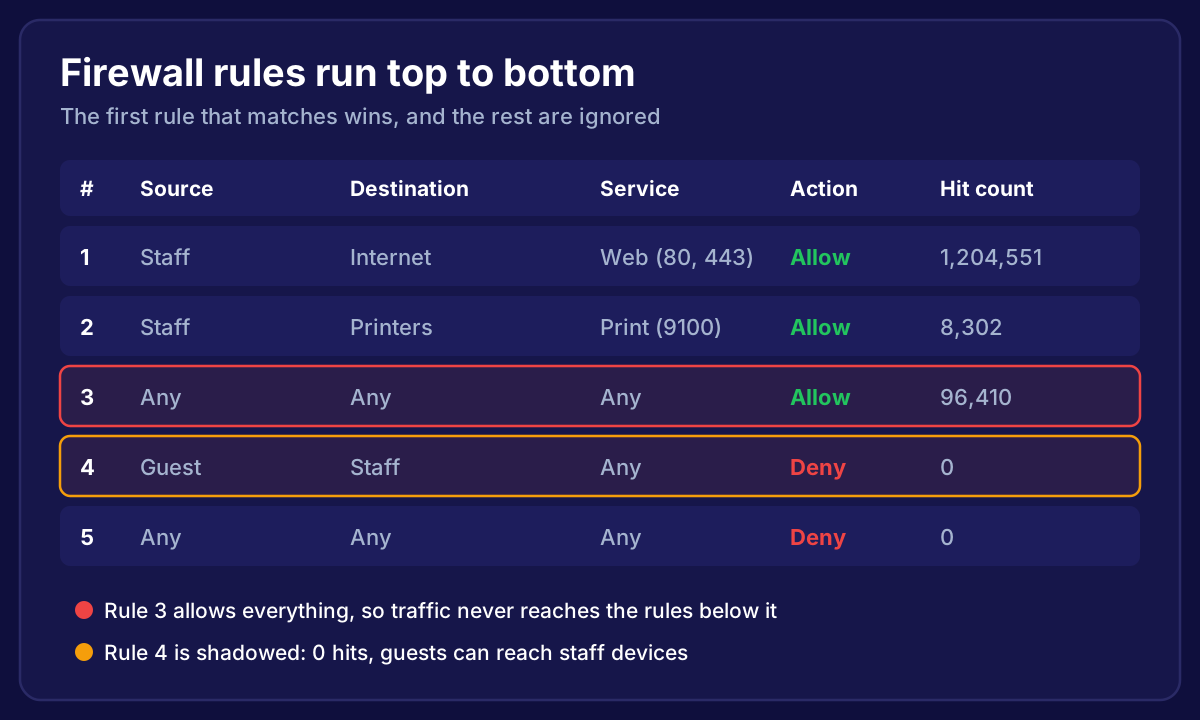 A firewall rule table where an allow-any rule at position 3 shadows the guest block rule below it, so guests can reach staff devices
How Firewall Rules Are Processed
Almost every firewall works the same way. When a connection arrives, it checks the rules from the top down. The first rule that matches decides what happens, and the firewall stops looking.
That has two big consequences:
- Order matters more than anything. A broad "allow" rule high up overrides every "deny" beneath it
- A rule can exist and do nothing. If an earlier rule always matches first, the later one never fires. This is called a shadowed rule
In the diagram above, rule 4 was meant to stop guests reaching staff devices. Rule 3 allows everything first, so rule 4 never gets a hit. On paper you're protected. In reality you're not.
1. Start From Deny, Then Allow What's Needed
The safest firewall starts from "nothing is allowed", then adds rules for what's genuinely needed. This is called least privilege.
In practice:
- Every allow rule should be as narrow as it can be: the right source, the right destination, and the right service
- "Staff to internet on web ports" is a good rule. "Staff to anything on anything" isn't
- Finish the list with an explicit deny all rule that logs, even if your firewall already has an implicit one. You'll see exactly what's being blocked
2. Never Use "Any Any Any" Allow Rules
An "allow any source, any destination, any service" rule turns your firewall into a router. It's almost always added to fix a problem quickly ("the card machine stopped working, just open it up"), and then forgotten.
If something isn't working:
- Check the deny logs to see what's being blocked
- Write a narrow rule for exactly that traffic
- Give it a name and a reason
It takes five minutes longer, and it doesn't leave a hole.
3. Put Specific Rules Above General Ones
Because the first match wins, order your rules from most specific to least specific:
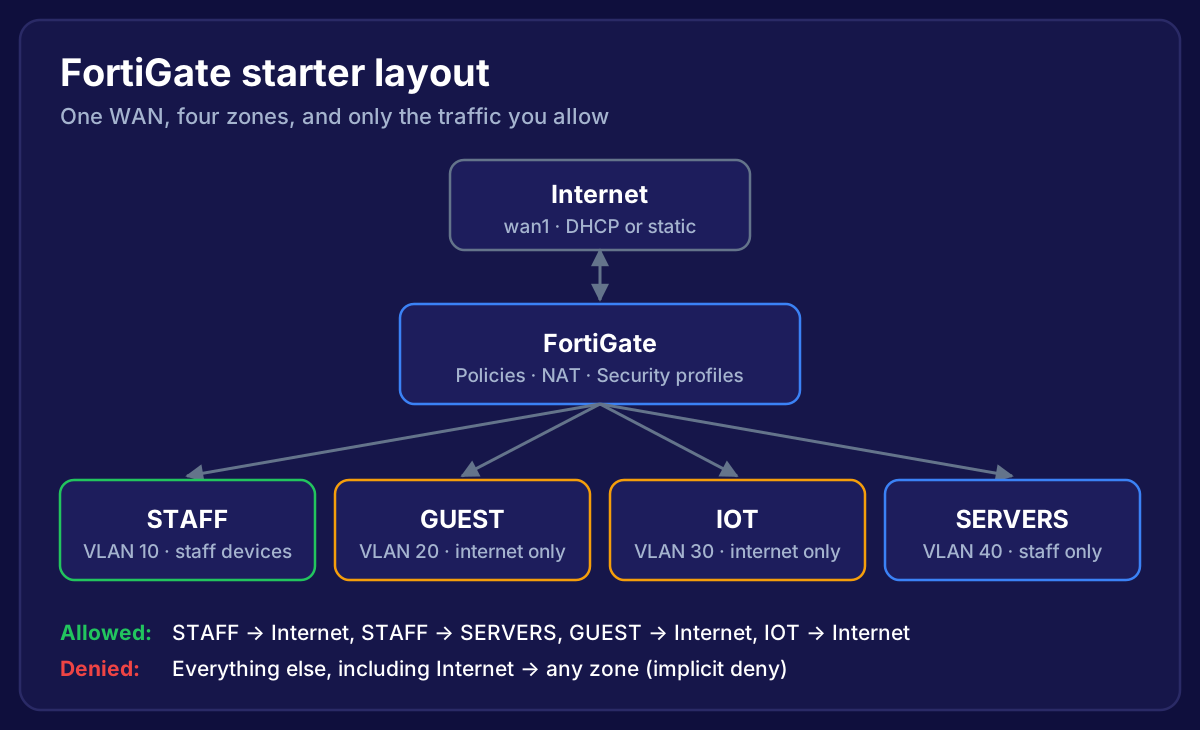
- Blocks you always want (for example, guest to staff, IoT to servers)
- Specific allows (staff to the file server on SMB, a supplier to one server over VPN)
- General allows (staff to the internet)
- Deny all, with logging
Grouping rules by zone makes this easier to read. All the guest rules together, all the staff rules together, and so on.
4. Use Objects and Groups, Not Raw IP Addresses
A rule that says 192.168.40.12 means nothing to the next person. A rule that says FILE-SERVER does.
- Create address objects for servers, printers and important devices
- Group them:
PRINTERS,CCTV,ACCOUNTS-PCS - Create service groups for things like your phone system, rather than listing ports in every rule
When the file server changes IP, you update one object instead of hunting through 20 rules.
5. Name, Comment and Own Every Rule
Every rule should answer three questions without anyone needing to ask:
- What is it? A clear name such as
GUEST-to-InternetorVPN-Accounts-to-Sage - Why does it exist? A comment with the business reason
- Who asked for it, and when? A ticket number, a date, or a name
Cyber Essentials expects inbound rules to be approved and documented with a business need. Doing it for every rule costs almost nothing and makes reviews quick.
6. Log the Right Things
Logging everything fills the disk. Logging nothing leaves you blind. A sensible balance:
- Always log denied traffic, especially your final deny rule
- Log allowed traffic on sensitive rules, such as VPN access, admin access and anything reaching servers
- Send logs off the firewall to a logging service or SIEM
- Use logs to troubleshoot instead of loosening rules
7. Use Hit Counts to Find Dead and Shadowed Rules
Most business firewalls show how many times each rule has matched. That number tells you a lot:
- Zero hits after months: the rule is unused or shadowed. Investigate, then remove or move it
- Huge hits on a broad rule: it's probably catching traffic that should be handled by something more specific
- Hits on your deny all rule: something is being blocked. Check whether it should be
Reset hit counts after each review, so next quarter's numbers mean something.
8. Change Rules Carefully
Most firewall outages are self-inflicted. Before any change:
- Back up the config first
- Make one change at a time and test it
- Know how you'll undo it
- Avoid editing the rule you're connected through. It's an easy way to lock yourself out
For larger networks, it's worth putting a proper change process in place. We cover that in how to automate network change management.
9. Review the Whole Rulebase Every Quarter
Rules drift. People leave, suppliers change, systems get retired. A quarterly review should:
- Remove rules for things that no longer exist
- Check zero-hit rules
- Look for any-any rules and broad services
- Confirm every inbound rule still has an owner and a reason
- Check the admin access and VPN users while you're there
Put it in the calendar. The review itself takes an hour on a tidy rulebase. On a messy one, the first review takes longer, and every one after that is quick.
A Simple Rule Template
Here's what a clean small business rulebase looks like in plain English:
| # | Name | From | To | Service | Action |
|---|---|---|---|---|---|
| 1 | GUEST-block-internal | Guest | Staff, Servers | Any | Deny |
| 2 | IOT-block-internal | IoT | Staff, Servers | Any | Deny |
| 3 | STAFF-to-FileServer | Staff | FILE-SERVER | SMB | Allow |
| 4 | STAFF-to-Printers | Staff | PRINTERS | Allow | |
| 5 | VPN-to-Accounts | VPN users | ACCOUNTS-APP | HTTPS | Allow |
| 6 | STAFF-to-Internet | Staff | Internet | Web, DNS | Allow |
| 7 | GUEST-to-Internet | Guest | Internet | Web, DNS | Allow |
| 8 | IOT-to-Internet | IoT | Internet | Web | Allow |
| 9 | Deny-all-log | Any | Any | Any | Deny |
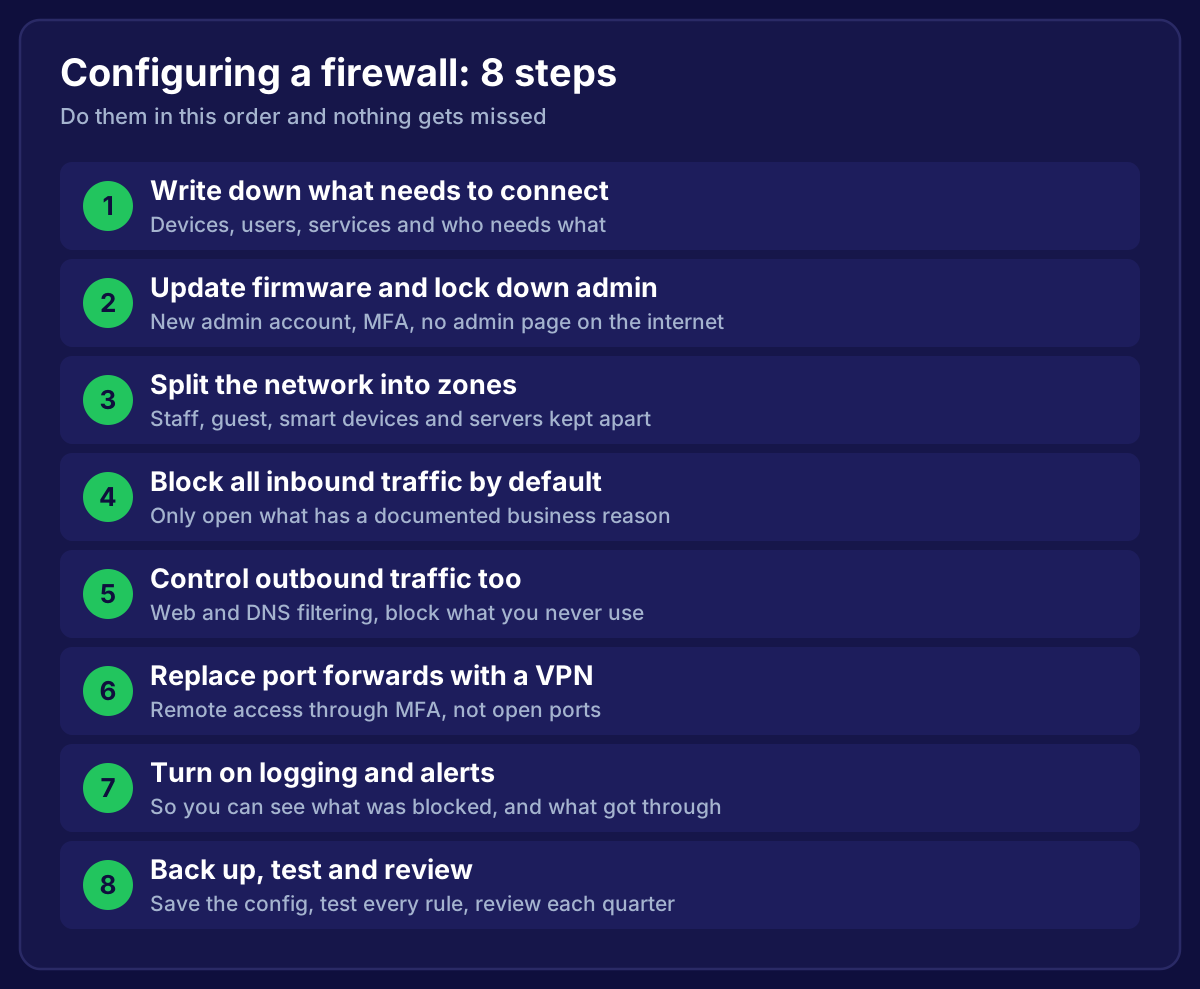
Nine rules, all readable, and nothing allowed that isn't needed. For the full setup around these rules, see our guide to configuring a firewall.
Frequently Asked Questions
What order should firewall rules be in?
Specific blocks first, then specific allows, then general allows, then a final deny all. The firewall uses the first rule that matches.
What is a shadowed firewall rule?
A rule that never matches because an earlier, broader rule always matches the same traffic first. It looks like protection but does nothing.
How many firewall rules should a small business have?
There's no magic number, but a small office rarely needs more than 20 to 30. If you have hundreds, many are probably unused or duplicated.
Should I block outbound traffic as well as inbound?
Yes, at least partly. Web and DNS filtering, and blocking services you never use, stops a lot of malware from phoning home.
How do I know if a firewall rule is still needed?
Check its hit count and its documentation. If nothing has used it in months and nobody can say why it's there, disable it, wait a week, then remove it.
Want someone to untangle your firewall rules?
We review firewall rulebases for small businesses across the South West. We'll find the any-any rules, the shadowed rules and the forgotten port forwards, tidy everything up, and hand you documentation you can actually read.
→ Book Your Free Firewall Review